
Everything You Need to Know About IBO Player pro Before Using IPTV
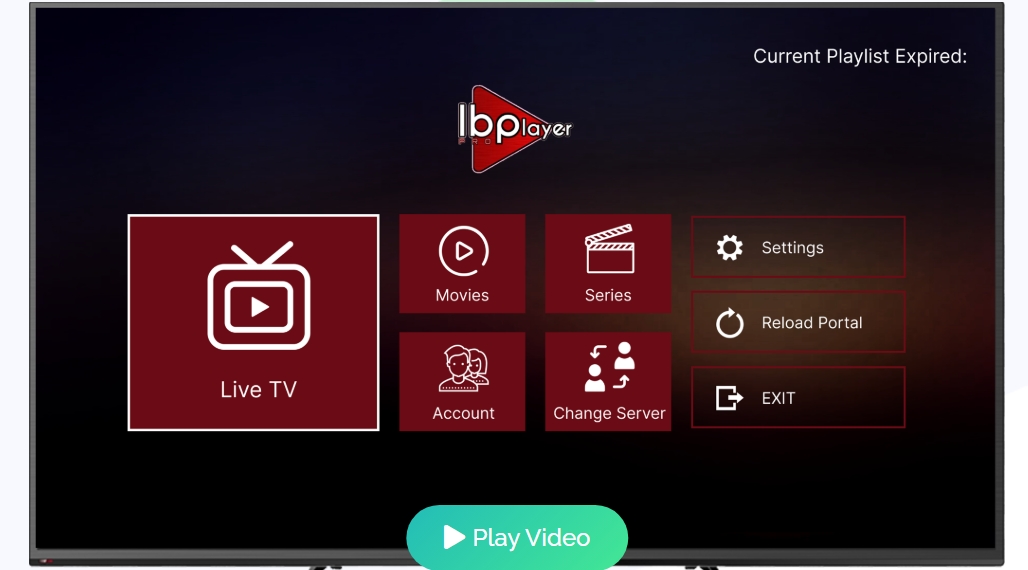
The ibo player pro is a lightweight media player designed to load M3U playlists quickly and give a smooth streaming experience on phones and smart TVs. New users can test the service with a 7-day trial, so you can verify performance and settings before subscribing.
This app does not sell or host movies, series, or channels. You must supply your own legal content and playlists. Developer Ibrahim Akoum keeps the tool neutral, focusing on a clean interface and fast playlist loading.
The official website shows how to download the APK for Android and Fire TV using code 481220. Privacy is a priority: the tool does not collect personal data during daily use. With strong community ratings, the ibo player remains a top choice for reliable media management and lightweight IPTV playback.
Best IPTV Service for IBO Player – We Recommend KechtyTV
Key Takeaways
- Try the service risk-free with a 7-day trial.
- It’s a neutral m3u player — you must provide legal content.
- Fast playlist loading and a simple interface for easy streaming.
- Download APK via the official website using code 481220.
- Developer prioritizes privacy and solid community ratings.
Understanding the Capabilities of IBO Player Pro
If you want fast, customizable streaming across devices, this app delivers. The ibo player pro supports integration with VLC and MX, giving you flexible decoding and higher compatibility on many hardware platforms.
The recent version 1.5 added general fixes and stability improvements. Those updates reduce stutters and make streaming more reliable on Android smart TVs, sticks, phones, and tablets.
Optimized for fast streaming, the software minimizes buffering and keeps live and on-demand media playing smoothly. The interface stays simple so new users can browse content with minimal setup.
- Works with VLC/MX for broad codec support and playback quality.
- Engineered as an advanced m3u player for quick playlist handling.
- Cross-device access: TVs, sticks, phones, and tablets.
| Feature | Benefit | Best Use |
|---|---|---|
| VLC / MX Integration | High compatibility, better decoding | Complex codecs and local files |
| Version 1.5 Optimizations | Fewer crashes, smoother playback | Live sports and long sessions |
| Lightweight Interface | Easy navigation, quick setup | New users and casual entertainment |
Key Features for an Enhanced Streaming Experience
Enjoy crisp visuals and fast load times on any screen with the app’s native 4K support. This media tool supports all screen resolutions, from small phones to large smart TVs, so movies and series look sharp on every device.
Advanced controls let you manage playback precisely. Use the m3u player controls to add favorites, jump to chapters, and switch audio or subtitle tracks without leaving the current stream.
4K Streaming Support
Supports screen resolutions up to 4K for high-definition viewing. This enhances clarity for high-budget movies and live events.
Advanced Media Controls
Intuitive player controls include favorites, seek speed, and codec switching via VLC or MX integration for smooth, fast streaming during peak times.
Multi-Language and Subtitle Options
Users can select languages for audio and subtitles. The interface shows ratings, release dates, actor lists, and trailers to improve content discovery.
- Fast streaming: reduces buffering for live channels and on-demand media.
- Comprehensive metadata: view ratings and trailers inside the app.
- Advanced m3u features: seamless navigation of large content libraries.
| Feature | Benefit | Ideal Use |
|---|---|---|
| 4K / Screen Resolutions | Sharper images on HDTVs and tablets | High-definition movies and sports |
| Advanced m3u Controls | Quick favorites, language toggle, precise seeking | Long series binges and heavy libraries |
| Language & Subtitle Support | Better accessibility for international content | Foreign films and dubbed series |
Device Compatibility and Installation Requirements
Compatibility is central: confirm your system version and download source first. This ensures a fast install and steady streaming experience across phones, tablets, and TVs.
Supported Platforms and Operating Systems
The app appears on the Apple App Store and requires iOS 15.6 or later for best results. The iPad package is about 108.8 MB.
Support also extends to Android smart TVs, Android sticks, and most mobile devices. Samsung TV installers are available via developer-provided URLs to guarantee correct setup.
- Category: entertainment — listed on major stores.
- In-app purchases: unlock full features and account activation.
- Screen support: supports screen resolutions across iPhone, iPad, and Apple TV.
| Platform | Minimum OS | Notes |
|---|---|---|
| iPhone / iPad | iOS 15.6 (iPad 108.8 MB) | Optimized for modern screen resolutions and Apple TV handoff |
| Android TV / Stick | Android 7.0+ | Works on smart TVs and streaming sticks; use official APK sources |
| Samsung TV | Tizen (varies by model) | Install via developer URLs for correct app package |
How to Configure Your Playlists and Account
Use the website’s secure upload tool to import your playlist and enable streaming across devices. Sign in, find the account section, then follow the steps to add your m3u file for immediate activation.
Prepare your m3u carefully: ensure correct formatting and valid links before upload. A malformed list often causes authentication errors and missing channels.
Register your device with the unique login link shown on the web portal. This creates a direct connection between the app and your account and simplifies future syncs.
- Organize media: manage movies and series from the secure portal to build a clean list.
- Advanced m3u tools: use filters and grouping to keep your entertainment library current.
- In-app purchases: activate premium features and unlock expanded library options.
Remember: the software is neutral — you supply the content. Once your account is active, the app will auto-sync playlists for a consistent media experience across registered devices.
Managing Content and Parental Controls
Keep your library tidy and family‑safe with built‑in management and restriction tools. The app centralizes options so you can sort, hide, or lock items fast.
Organizing Favorites and Series
Create custom folders to group movies, series, and episodes by genre, year, or mood. This makes finding new episodes simple during busy evenings.
Use the dedicated series favorites area to track ongoing shows. Mark episodes as watched, add notes, or jump straight to the next chapter.
Implementing Safety Restrictions
Robust parental controls let you restrict access to age‑rated content and specific channels. Set PINs for sections or require approval before playback.
Follow the privacy policy when changing account settings to keep playlist data and personal preferences secure.
- Hide or edit channels: remove unwanted items from your main m3u list.
- Sort and filter tools: organize large playlists for faster access.
- Safe access: lock profiles to control what children can reach.
| Management Task | Action | Benefit |
|---|---|---|
| Create categories | Group movies and series | Faster content discovery |
| Series favorites | Mark and track shows | Easy resume and follow‑up |
| Parental controls | PIN locks and restrictions | Secure family viewing |
| Playlist editing | Hide or remove channels | Cleaner interface |
Troubleshooting Common Performance Issues
When streams stutter or drop, start by checking your router and signal strength. Buffering usually points to a weak internet connection. Test speed and try a wired link for more stability.
If authentication or load errors appear, contact official support via Telegram or WhatsApp. The team can walk a user through failed logins and loading faults without risking account data.
Keep the app on the latest version to get stability fixes. If crashes persist, uninstall and reinstall to clear any corrupted local database files.
For full-screen problems, check device screen settings and display scaling. Some TV or stick options can interfere with smooth playback of entertainment content.
- m3u URL fixes in the pro release reduce abrupt disconnects after ~30 seconds.
- Review the privacy policy before sharing logs; troubleshooting should not expose personal data.
- Still not loading? Reset your network and then reach out to official support for deeper diagnostics.
| Issue | Quick Fix | Contact |
|---|---|---|
| Buffering | Check internet connection / use Ethernet | — |
| Authentication | Re-login; update to latest version | Telegram / WhatsApp support |
| Crashes | Reinstall to clear local DB | Official support |
Conclusion
To wrap up, this app brings a clean, fast way to manage streaming lists across devices.
The ibo player pro acts as a lightweight media player that simplifies playlists and improves the viewing experience for movies and series.
Use legal content and a stable internet connection to get the best results. Enable parental controls and set favorites to keep family viewing safe and organized.
Check the official website for the latest version, support, and account options. Regular updates help maintain privacy and deliver new features.
Enjoy high-quality playback, advanced m3u player controls, and smooth fast streaming across supported screen resolutions. Start your setup today for a reliable entertainment experience.